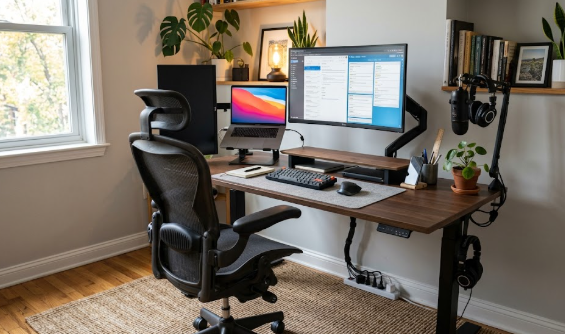
Working from home was supposed to be more comfortable, yet for millions of people it has meant more back pain, not less. Long hours, makeshift desks, and unsupportive chairs add up to stiff lower backs, tight necks, and that familiar afternoon ache. The good news is that you do not have to live with it, and you do not need to spend a fortune all at once. A handful of well-chosen products, layered onto a few free habits, can transform how your back feels by the end of the workday.
This guide pulls together the best back pain products for remote workers in 2026, one standout pick per category, with links to our detailed guides for each. Just as importantly, it explains how to prioritise, because the biggest wins come first and the accessories fill the gaps. Spend where it counts, skip what you do not need, and remember that the single most effective tool, movement, is free.
How to prioritise your spending
Before buying anything, it helps to know the order of impact. The largest returns come from your chair, the height of your screen, and how often you move, so those deserve your attention and budget first. After that, accessories like a lumbar cushion, seat cushion, footrest, or anti-fatigue mat are inexpensive ways to fine-tune your setup and target specific aches. Recovery tools and a supportive mattress look after the hours away from the desk. And a couple of categories, posture correctors and electrical stimulation devices, are best treated as optional aids used with care rather than essentials. Work down the list as far as your needs and budget take you; even the first two or three steps make a real difference.
The foundation: get these right first
A supportive chair
Your chair sets your entire posture, so it is the most important single purchase for most desk workers. A good ergonomic chair supports the natural curve of your lower back and adjusts to your body, which prevents the slouching that drives lower-back pain. There is an option for every budget, from premium investments to capable models around the price of a few takeaways, and we break them all down in our guide to the best ergonomic chairs for back pain. If you are torn between two popular favourites, our Aeron vs Titan comparison helps, and if you are curious about an active-sitting alternative, our ergonomic vs kneeling chair breakdown is worth a look.
A height-adjustable desk
Sitting still all day is what loads your spine, and a sit-stand desk makes it easy to alternate between sitting and standing, breaking up that stillness. It is one of the most effective tools a remote worker can own, and our roundup of the best standing desks for back pain covers the leading options. If you are weighing specific models, see our FlexiSpot vs Uplift and Autonomous vs FlexiSpot E7 comparisons, and for the evidence behind alternating positions, our standing vs sitting research review lays out what studies actually show.
A monitor at eye level
A screen that sits too low pulls your head forward and strains your neck and upper back all day. Raising it to eye level is one of the most direct fixes for tech neck, and a monitor stand or arm makes it effortless while freeing up desk space. See our picks in the best monitor stands guide. This matters most for laptop users, who should raise the laptop and add a separate keyboard and mouse.
The supporting cast: fine-tune your setup
Lumbar support and seat cushions
If your chair is otherwise fine but offers no lower-back support, a lumbar cushion is a cheap, effective fix that fills the curve behind your spine, covered in our best lumbar support guide. For tailbone and sit-bone pressure, a contoured seat cushion supports you from underneath, as we explain in our best seat cushions guide. The two address different areas and work well together.
A footrest and an anti-fatigue mat
If your feet dangle when your chair is set correctly, a footrest restores the supported position and stops your pelvis tilting, as covered in our best office footrests guide. And if you use a standing desk, an anti-fatigue mat makes the standing intervals genuinely comfortable rather than a fresh source of fatigue; see our best standing desk mats guide.
An ergonomic keyboard and mouse
Awkward typing makes you hunch and twist, and that upper-body tension travels into the neck and back. An ergonomic keyboard and vertical mouse keep your shoulders open and your wrists aligned, which we cover in our best ergonomic keyboard and mouse guide. They are the finishing touch on a setup that already gets the big things right.
Recovery and relief: look after the other hours
A foam roller
An inexpensive foam roller releases the tight glutes, hips, and upper back that contribute to back tension, as long as you use it correctly and avoid rolling directly on the lower spine. Our foam roller guide walks through safe technique and the areas that actually help.
A supportive mattress
A day of sitting followed by a sagging mattress means you wake up already stiff. The right mattress keeps your spine aligned overnight so sleep becomes recovery time, and our best mattress for back pain guide helps you choose based on how you sleep.
Simple exercises, the free essential
No product replaces movement. A few minutes of stretching and strengthening, plus regular breaks, do more for a desk worker’s back than any single purchase, and they cost nothing. Our back pain exercises for remote workers guide has quick routines you can do at your desk.
Use with care: optional aids, not essentials
Two categories deserve a more cautious framing. A posture corrector can build awareness and ease upper-back tension, but it is a short-term training aid, not a cure, and wearing one all day can weaken the very muscles it supports, so use it in short sessions alongside strengthening, as we explain in our posture corrector guide. A TENS unit may help some people manage the sensation of pain, but the evidence is mixed, it is not suitable for everyone, and it should be used only after checking the safety considerations and, ideally, speaking to a professional; our TENS unit guide covers this in detail. Neither addresses the cause of back pain, so treat them as optional extras rather than foundations.
Your back-pain toolkit at a glance
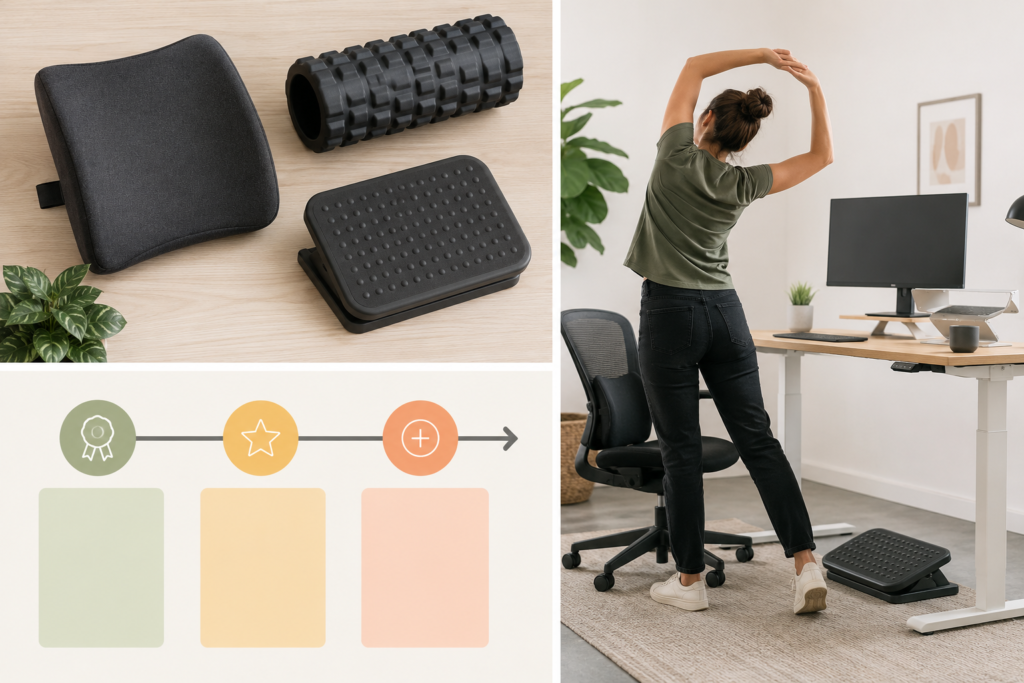
The table below summarises the categories and where to start. You do not need everything; work down the list as far as your needs and budget allow.
| Priority | Category | Why it matters |
|---|---|---|
| Essential | Ergonomic chair | Sets your whole posture |
| Essential | Movement & exercises | Free and most effective |
| High | Standing desk | Breaks up static sitting |
| High | Monitor stand | Fixes tech neck |
| Medium | Lumbar & seat cushions | Cheap targeted support |
| Medium | Footrest & anti-fatigue mat | Supports the lower body |
| Medium | Ergonomic keyboard & mouse | Relaxes shoulders and wrists |
| Supportive | Foam roller & mattress | Recovery on and off the desk |
| Optional | Posture corrector, TENS | Use with care, not a cure |
Building your kit on any budget
If money is tight, you can still make a big difference. Start with the free essentials, moving more often and doing a few daily stretches, then add a lumbar cushion, a seat cushion, and a footrest, which together cost very little but target the most common aches. Raising your screen on a riser or even a stack of books costs almost nothing. As budget allows, upgrade to a supportive chair and a height-adjustable desk, the two purchases with the biggest impact, and add recovery tools like a foam roller and, eventually, a better mattress. A complete premium setup is wonderful, but a thoughtful budget setup plus good habits will already transform how your back feels.
The one thing that matters most
If you take only one message from this guide, make it this: no product replaces movement. The healthiest posture is your next one, so the most valuable thing you can do, with or without any gear, is to stand, stretch, and walk regularly throughout the day. The products here make good posture easier and more comfortable, but they are tools to support an active body, not substitutes for one. Pair the right gear with regular movement, and your back gets the best of both. For the principles that tie it all together, start with our home office ergonomic setup guide.
Frequently asked questions
What is the single best purchase for back pain?
For most desk workers, a supportive ergonomic chair gives the biggest return, because it sets your entire posture and provides consistent lower-back support through long hours. If a new chair is out of reach, a lumbar cushion plus raising your screen and moving more often delivers a lot of benefit for very little money.
Do I need to buy everything on this list?
No. The list is ordered by impact, so most people do well starting with a good chair, a way to alternate sitting and standing, a screen at eye level, and regular movement. Accessories like cushions, a footrest, and a mat are inexpensive ways to target specific aches, and the recovery and optional categories are extras you can add only if you need them.
Are cheap back pain products worth it?
Many are. Budget lumbar cushions, seat cushions, footrests, and foam rollers offer most of the benefit of pricier versions and are a low-risk way to find out what helps you. The categories where spending more clearly pays off over time are the chair and the desk, where build quality and durability matter most.
When should I see a professional instead of buying products?
Products can ease everyday discomfort from sitting, but they are not a substitute for medical care. If your back pain is severe, persistent, or worsening, or if it spreads into your legs or comes with numbness or weakness, see a doctor or physiotherapist for proper assessment rather than relying on accessories.
The bottom line
You do not need to suffer through remote work with a sore back, and you do not need to buy everything at once. Prioritise a supportive chair, a way to break up sitting, a screen at eye level, and daily movement, then layer on inexpensive cushions, a footrest, and recovery tools as needed. Treat posture correctors and TENS units as optional aids used with care, and see a professional for anything serious. Build your toolkit step by step, keep moving, and your back will feel the difference. The NHS guide to managing back pain is a useful companion read.
Affiliate disclosure: This article contains affiliate links. If you buy a product through one of them, we may earn a small commission at no extra cost to you. This never influences which products we recommend.
Medical disclaimer: We are not doctors or physiotherapists, and this article is for general informational purposes only. It is not medical advice and should not replace consultation with a qualified healthcare professional. If you have persistent, severe, or worsening back pain, please seek advice from a licensed medical provider.