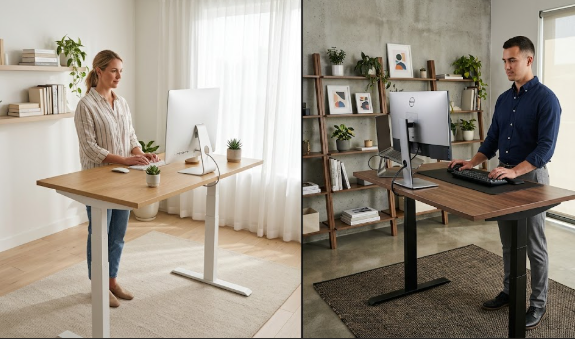
The FlexiSpot E7 and the Uplift V2 are the two standing desks that dominate almost every recommendation list, and for good reason. Both are dual-motor electric sit-stand desks with wide height ranges, strong weight capacities, and excellent reputations for helping remote workers move more and sit less. But they are not identical, and the right choice comes down to what you prioritise: outright value, or long-term build and customisation.
In this comparison we put the two head to head across price, stability, height range, warranty, controls, and desktop options, so you can decide which belongs in your home office. If you want the wider field first, our roundup of the best standing desks for back pain covers other strong options too.
The quick verdict
The Uplift V2 is the better long-term investment for most people who can stretch the budget, thanks to superior stability, a longer warranty, and far more desktop choices. The FlexiSpot E7 is the smarter value buy, delivering roughly eighty-five to ninety percent of the V2’s functionality for noticeably less money, with a more generous keypad included as standard. Neither is a bad choice; you are picking between premium longevity and excellent value.
Price
This is where FlexiSpot makes its case. The E7 frame typically starts around $479 to $499, with desk-plus-top bundles from roughly $580, while the Uplift V2 starts at about $599 and climbs as you add upgrades. The E7 also tends to discount more aggressively during sales. Over the life of the desk that gap narrows, because the Uplift’s longer warranty and durability spread its cost over more years, but on day one the FlexiSpot is clearly the cheaper way into a quality dual-motor desk.
Stability
Both desks use powder-coated steel frames with dual motors and feel solid at seated height. The difference shows up when you raise them. The Uplift V2 is the more rigid of the two, especially with its optional crossbar fitted, holding steady even at full standing height. Without the crossbar there can be some noticeable wobble at the upper end of the range, so it is worth adding for taller setups or heavier gear. The FlexiSpot E7 is stable and dependable for typical use, but the Uplift edges ahead for anyone with a large multi-monitor rig or who types vigorously while standing.
Height range and fit
Both desks suit a wide range of users, but the Uplift V2 reaches a higher maximum, which makes it the safer pick for tall people who often find desks top out too low for comfortable standing. If you are around six feet or taller, check the standing height carefully; the Uplift’s extended range is one of its quiet advantages. For average-height users, both desks drop low enough for correct seated posture and rise high enough to stand without hunching.
Controls and presets
FlexiSpot wins here on value. The E7 ships with a full-featured keypad that includes several programmable memory presets, a sit-stand reminder, a child lock, and even a USB charging port, all at no extra cost. The Uplift V2’s standard keypad is basic, with simple up and down buttons; to get programmable presets you have to pay extra for the advanced keypad. Since easy, one-touch height changes are exactly what keep you alternating positions through the day, the included FlexiSpot keypad is a genuine practical advantage.
Desktop options and customisation
This is the Uplift’s strongest category. It offers more than twenty desktop materials, including bamboo, rubberwood butcher block, walnut, white oak, reclaimed wood, and various laminates, plus custom sizes, so you can match it precisely to your room and taste. FlexiSpot offers a respectable selection of around ten desktops, but it simply cannot match the Uplift’s range. If the look and finish of your workspace matter to you, the Uplift gives you far more freedom.
Warranty
Both brands back their desks generously by industry standards, which reflects confidence in the frames. FlexiSpot covers the E7 with a long frame warranty and shorter coverage on the motor and electronics, while the Uplift V2 is known for one of the most comprehensive warranties in the category, with extensive frame coverage and long terms on its moving and electronic parts. Warranty details and lengths do change, so confirm the current terms on each brand’s site before buying, but in broad strokes the Uplift offers the more reassuring long-term coverage.
Noise
Both desks are quiet enough for a home office, and you can adjust either one without disrupting a video call in most rooms. In direct testing the FlexiSpot has a slight edge for quietness under load, while some users notice the Uplift’s motors becoming a touch louder as the weight increases. For the vast majority of setups, neither will be a problem.
At-a-glance comparison
The table below summarises the main differences. Prices and warranty terms are approximate United States figures that can change, so always confirm current details before buying.
| Feature | FlexiSpot E7 | Uplift V2 |
|---|---|---|
| Starting price | ~$479 – $580 | ~$599+ |
| Stability | Solid | Excellent (with crossbar) |
| Max height | Good for most | Higher, better for tall users |
| Keypad | Full presets + USB included | Basic standard; presets cost extra |
| Desktop options | ~10 | 20+ incl. hardwood & custom |
| Warranty | Long frame, shorter parts | Among the most comprehensive |
| Best for | Value buyers | Long-term & tall users |
Which should you buy?
Choose the FlexiSpot E7 if budget is your priority, you want a fully featured keypad included, and you are happy with a standard desktop finish. It is a fantastic desk that does not feel like a compromise. Choose the Uplift V2 if you are tall, you run a heavy or multi-monitor setup, you care about premium stability and the widest choice of desktops, or you simply want a desk you will keep for a decade or more. If you would rather see how FlexiSpot stacks up against a different rival, our Autonomous SmartDesk vs FlexiSpot E7 comparison covers that matchup.
Whichever you pick, the desk only helps your back if you actually use it. Alternate between sitting and standing, add an anti-fatigue mat from our guide to the best standing desk mats, and break up the day with a few back pain exercises for remote workers. You can review full specifications on the official FlexiSpot site and the official Uplift Desk site.
Frequently asked questions
Is the Uplift V2 worth the extra money over the FlexiSpot E7?
It depends on your needs. If you are tall, run heavy equipment, want the most stable desk and the widest choice of finishes, or plan to keep the desk for many years, the Uplift’s extra cost is easy to justify. If you mainly want a reliable, fully featured sit-stand desk at the best price, the FlexiSpot E7 gives you most of the experience for less.
Do I need the crossbar on the Uplift V2?
For most setups it is worth adding, particularly if you are tall or use heavy monitors, because it noticeably improves rigidity at standing height. Without it, some users report wobble at the upper end of the range. If you keep the desk low and light, you may not need it, but it is a cheap way to maximise stability.
Which desk is better for tall users?
The Uplift V2 generally suits tall users better because it reaches a higher maximum height, letting people around six feet and above stand comfortably without hunching. Always check the stated maximum standing height against your own elbow height before buying.
Can I save money by buying only the frame?
Yes. Both brands sell their frames separately, and pairing a frame with an affordable third-party tabletop can save a meaningful amount. Just make sure the tabletop dimensions and mounting holes are compatible with the frame, and that it is sturdy enough for your equipment.
The bottom line
The FlexiSpot E7 and Uplift V2 are both excellent, and you will not regret either. The E7 is the value champion with a better included keypad, while the V2 is the long-term pick with superior stability, warranty, and customisation, especially for tall users. Match the desk to your budget and body, set both heights correctly, and keep alternating throughout the day. To complete the workspace, pair your desk with a supportive seat from our best ergonomic chairs for back pain guide and run through our home office ergonomic setup guide.
Affiliate disclosure: This article contains affiliate links. If you buy a product through one of them, we may earn a small commission at no extra cost to you. This never influences which products we recommend.
Medical disclaimer: We are not doctors or physiotherapists, and this article is for general informational purposes only. It is not medical advice and should not replace consultation with a qualified healthcare professional. If you have persistent, severe, or worsening back pain, please seek advice from a licensed medical provider.